 Hallway Hero
Keep class
moving.
A hall-pass app for fewer interruptions. Students tap their name. You see who’s out and who’s next—and keep teaching.
Start your trial30-day risk-free trial. No card needed.
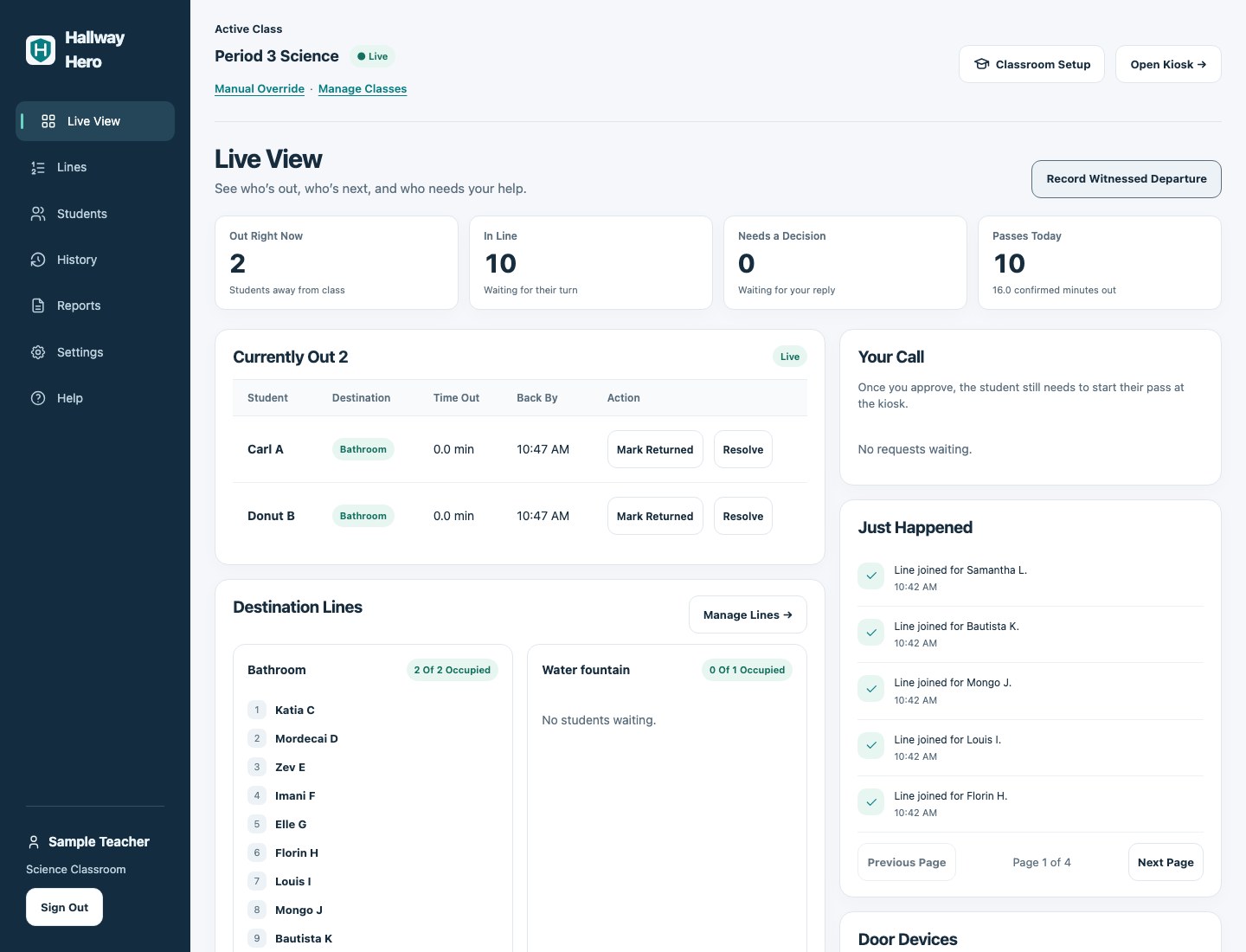
Keep teaching.
Skip the list.
Fewer trips to your desk to ask, “Can I go next?”
Keep an eye on the line
See who’s out, who’s waiting, and who’s ready to go. No need to keep the list in your head.
Open full screenshot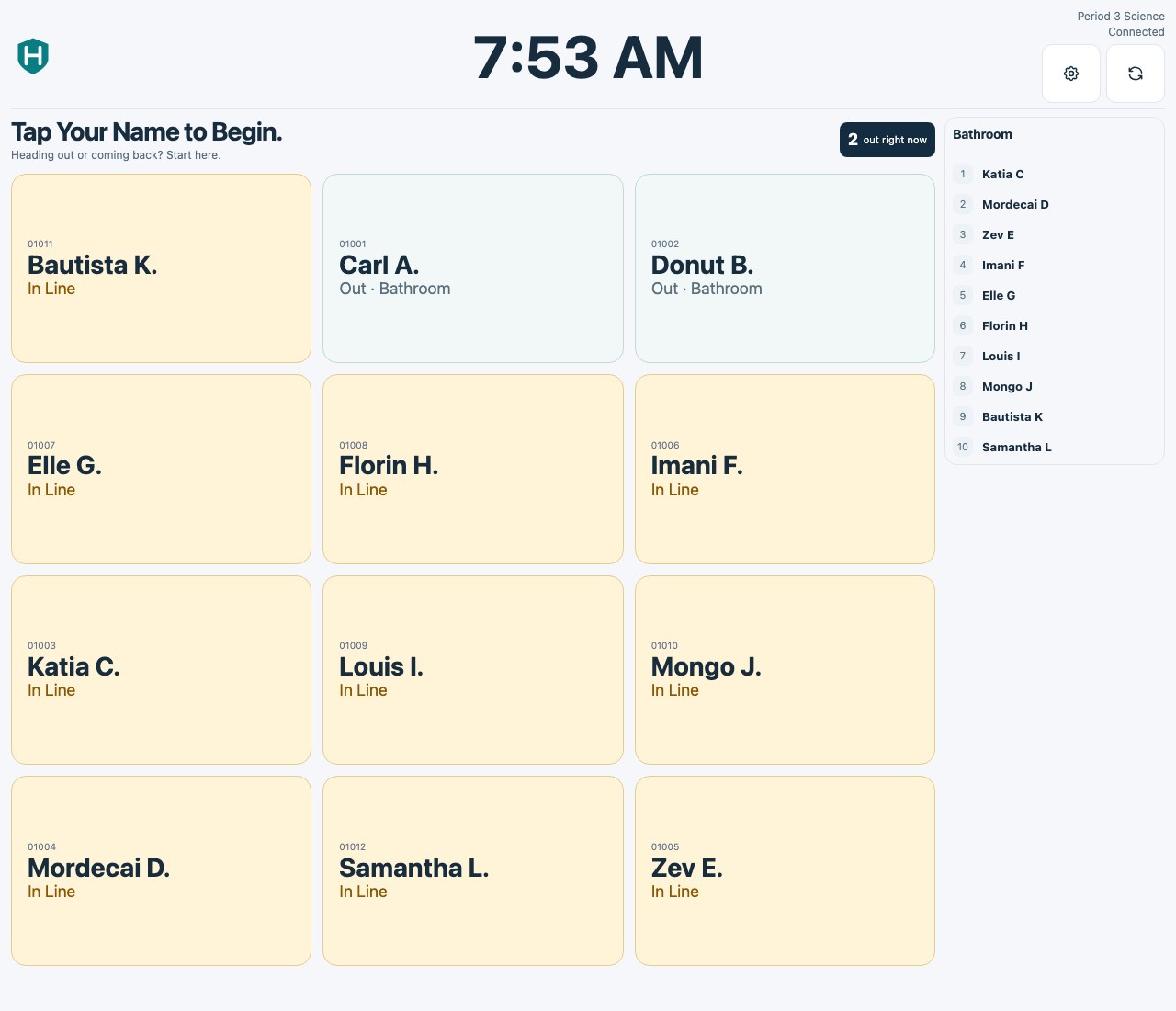
Add your
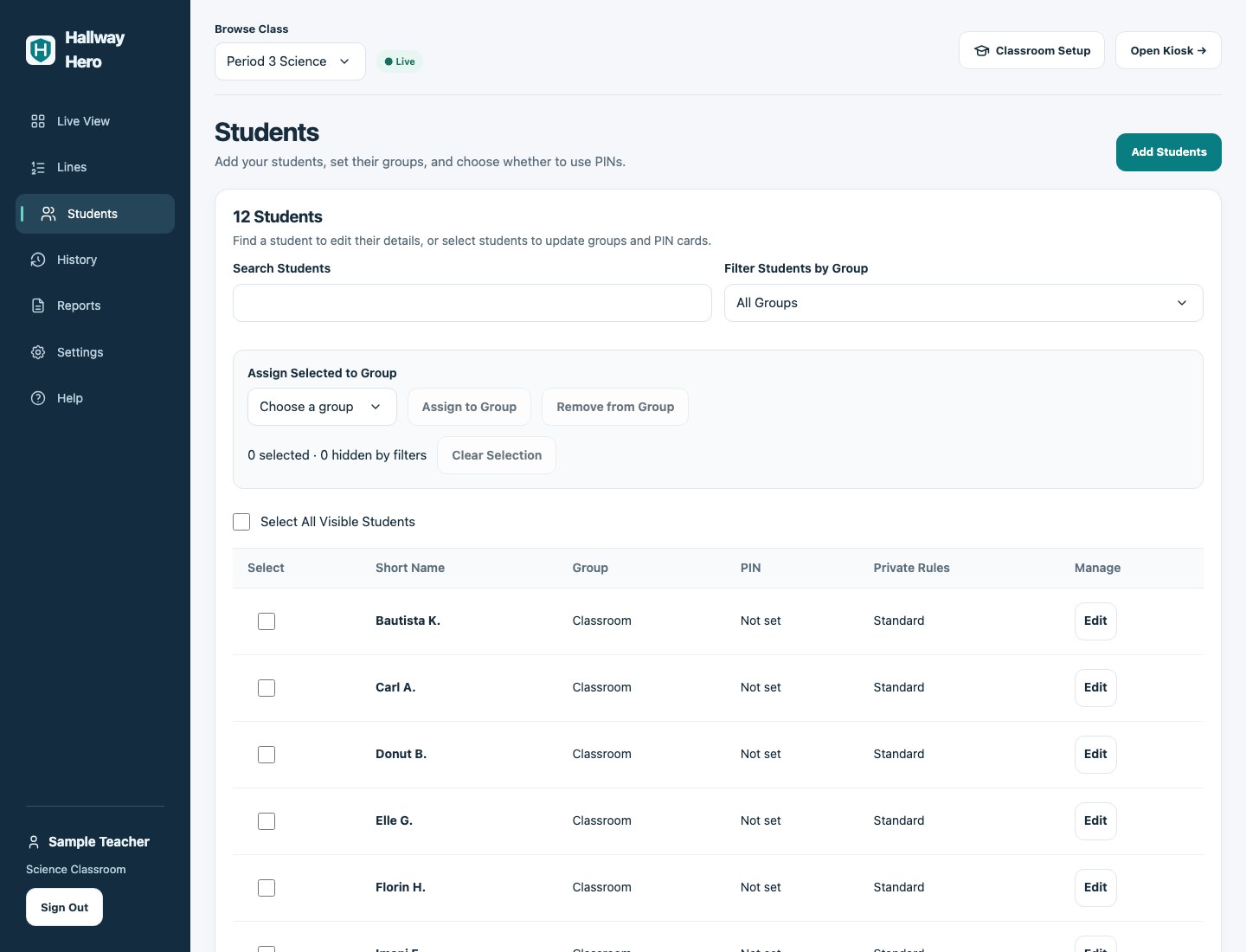
class list.
Download the CSV template, add first names and last initials, and upload your class list. Student IDs are optional.
School IDs keep a student’s passes together across classes and teachers, even when you update your class list.
Teacher guide (sign in)Quick to
get going.
Create your classroom.
Add your students.
Set up your kiosk.
Try it
in class.
Give it a spot by your door. See how it works for your class.
$19.99per teacher, per year
Try it free for 30 days, with no card to start. Subscribe from your account whenever you’re ready.
If you choose to subscribe, your first yearly payment is taken then. Your plan renews yearly until you cancel.
Start your trialGood
questions.
What do I need at the door?
A tablet, laptop, or another device with an up-to-date browser and an internet connection. Follow the setup steps in your teacher account, then open the kiosk for students.
What names do students see?
First names and last initials. Add student IDs if your school uses them. You can also turn on student PINs in Settings.
Who can see school reports?
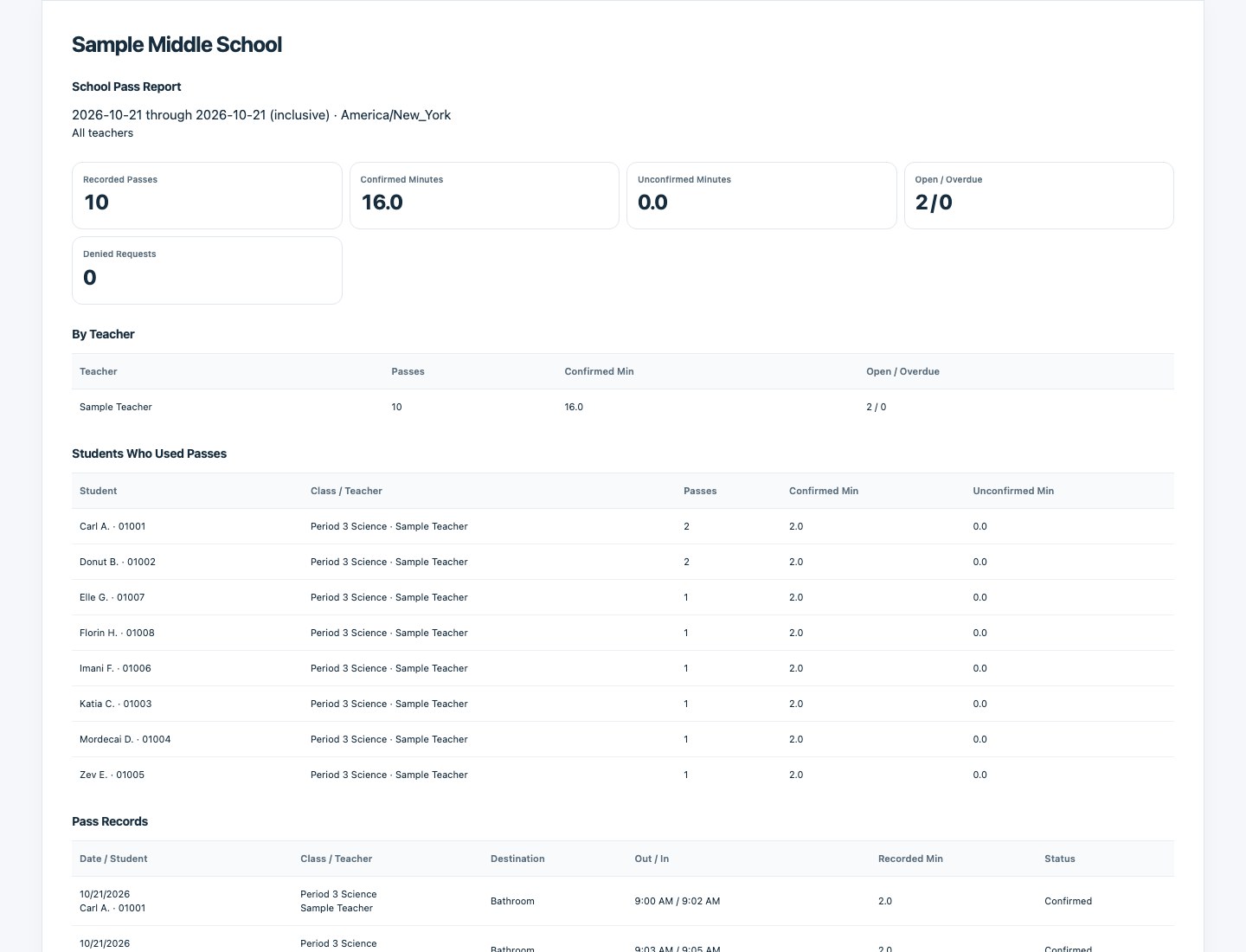
Teachers see their own classroom. School admins can pull reports for the teachers and students at their school, for one day or a date range.
How does the trial work?
30 days to try it with your class, with no card needed. Choose an annual subscription and you pay immediately; it renews yearly until canceled. If your trial ends without a subscription, new passes pause. You can still mark students returned and use your reports.